
Introduction: The Mobile Gap in 2025
We're in 2025. It's no longer a secret that mobile commerce (M-Commerce) dominates e-commerce. Current data shows that smartphones are now responsible for over 63% to 70% of total e-commerce revenue in Germany, according to Mordor Intelligence and Cross-Border Magazine. But if we're honest and look at the analytics data from most Shopware stores, we see a glaring gap: While traffic on smartphones explodes, the conversion rate (CVR) often painfully lags behind desktop performance.
Why is that? For years, the mantra of Shopware mobile optimization has been: "Make it responsive." We shrank layouts, introduced hamburger menus, and compressed images. The result? The shops look good on phones—but they often sell sluggishly.
The thesis of this article is provocative but necessary: Responsive design fixed the layout, but killed the consultation.
On a 27-inch monitor, it's easy to scroll through 50 products, set filters, and compare tabs. On a 6-inch smartphone screen, the same process becomes torture. The user has to work to find the right product. And work in mobile commerce leads to abandonment. Understanding how AI e-commerce transforms the shopping experience is crucial for staying competitive.
In this comprehensive guide, we go beyond standard tips (loading times, image sizes). We examine the technical foundation of Shopware 6.6, analyze the new Google Core Web Vitals (INP), and most importantly show a completely new path: How you can use Artificial Intelligence (AI) to transform the mobile user experience from passive search into active consultation, closing the mobile conversion gap.
Over 70% of all e-commerce traffic comes from mobile devices in 2025
Average mobile conversion rate vs. 3.2% on desktop—a significant revenue gap
Up to 85% of mobile shoppers abandon their carts before checkout
Google's Core Web Vital threshold for good interaction responsiveness
Part 1: The Technical Foundation – Shopware 6.6
Before we talk about AI revolutions, we need to make sure the engine is running. Without technical excellence, even the smartest algorithm will fail. In the context of Shopware mobile optimization, two massive changes emerged in 2024 and 2025: The update to Shopware 6.6 and Google's introduction of INP.
Shopware 6.6: A Performance Booster for Mobile
With the major release of Shopware 6.6 (and subsequent updates), the platform has taken massive steps that specifically benefit mobile users. Mobile devices often have weaker processors and more unstable internet connections than desktops. Every kilobyte of JavaScript that doesn't need to be loaded or executed counts.
According to Shopware's official documentation, the key innovations for your mobile strategy include:
- Vue 3 & Webpack 5: Shopware has updated the administration and storefront technology. The switch to Webpack 5 and Vue 3 support ensures leaner code and faster rendering, as detailed in the Shopware changelog.
- Asynchronous JavaScript Loading: This is a game-changer for mobile. Previously, scripts often blocked page construction. In Shopware 6.6, JavaScript plugins are loaded asynchronously by default. This means: The user sees the content immediately ("First Contentful Paint"), while interactive elements load in the background. This massively reduces perceived wait time on smartphones.
- Improved Indexing: For international shops, product indexing has been optimized (up to 6x faster). If you serve mobile users in different languages, this ensures product data is available faster and more up-to-date.
Google Core Web Vitals 2025: INP is the New Boss
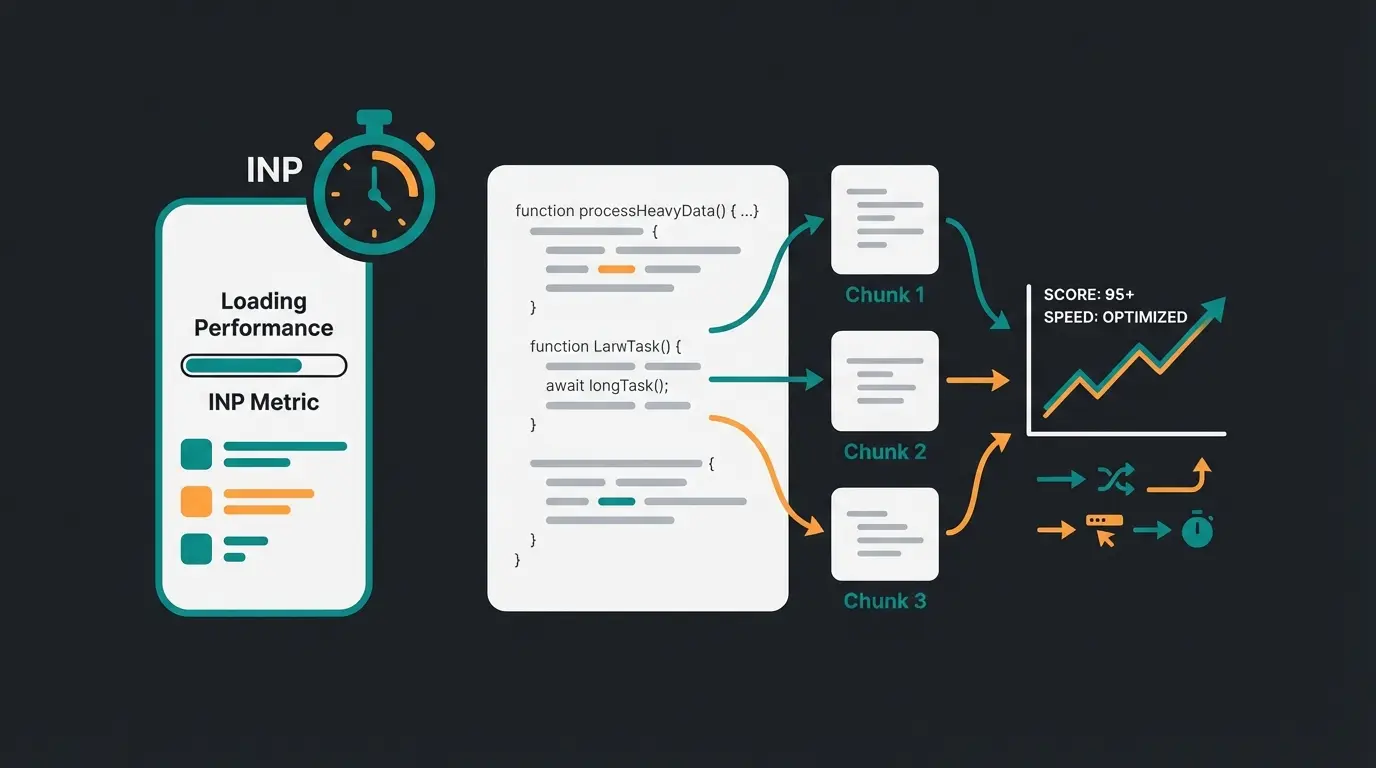
For SEO experts and shop operators, there was a turning point in March 2024: Google replaced the FID (First Input Delay) metric with INP (Interaction to Next Paint), as reported by Search Engine Roundtable.
Why is this critical for Shopware mobile optimization?
- FID only measured the delay on the first click.
- INP measures the response time of all interactions on the page during the entire session, as explained by SEOptimer.
Imagine a mobile user who taps "Add to Cart" or opens an accordion menu. If the phone briefly "freezes" because the browser is still processing JavaScript in the background, the INP value rises. A poor INP value (> 200ms) signals to Google: "This page feels broken on mobile."
The Consequence: Google penalizes slow reactions in rankings. Since mobile devices have less processing power, they are more susceptible to poor INP values. To optimize INP in Shopware, you need to avoid "Main Thread Blocking." This means splitting JavaScript code (Code Splitting) and reducing or delaying unnecessary third-party scripts (tracking, chat widgets, social media buttons) on mobile views, according to optimization guides on Medium and UXify.
Part 2: The UX Dilemma – Why Users Abandon on Mobile
We've optimized the technology. The shop loads fast. Yet the cart abandonment rate on mobile devices sits at a shocking 80% to 85%, while on desktop it's "only" around 70%, according to research from Cropink, Red Stag Fulfillment, and Tidio.
The reasons for this lie deep in the psychology and ergonomics of smartphone usage. This is where AI Customer Service solutions can make a significant difference.
Filter Fatigue: The Navigation Nightmare
In a standard Shopware shop, product search often looks like this:
- Open hamburger menu.
- Select category (e.g., "Outdoor").
- Select subcategory ("Jackets").
- Find and click filter button.
- Select filters (Size, Color, Material, Water Column...).
- Click "Show Results."
- Page reloads.
- Result doesn't fit? Back to step 4.
On desktop, this is a process of seconds. On a mobile screen, it's a click marathon. Every click is a hurdle at which users drop off. This is called "Interaction Cost." The higher the interaction costs, the lower the conversion. Implementing an AI product finder can dramatically reduce these friction points.
Decision Paralysis on Small Screens
On desktop, you can open three products side by side in tabs and compare them. On a smartphone, users often see only one or two products at a time (in the listing) or have to remember product details while swiping back and forth between pages.
This leads to cognitive overload. The user is uncertain ("Was the other jacket more breathable?") and abandons the purchase to "look later on the PC"—which they often never do. This is precisely where AI product consultation excels, providing instant comparisons and recommendations.
The Thumb Zone Problem
Despite "Mobile First" design, many themes ignore physical reality. Important elements (like the "Back" button or filters) are often at the top left—the hardest to reach zone for right-handers who operate their phone with one hand, as noted by Suntek AI.
Modern approaches like Sticky Bottom Navigations (as mentioned in the LUMINA theme from 8works) try to solve this, but are often just cosmetic corrections for a structural problem.
User clicks through 4+ menu levels to find relevant category
User struggles with multiple filter options, page reloads each time
User scrolls through 50+ products, tries to remember details
85% of users give up due to friction and cognitive overload
User types or speaks: 'Blue rain jacket for hiking, size L, under $150'
AI instantly presents 3 best matches with personalized explanations
Part 3: The New Era – AI-Guided Product Consultation
Here's your chance to stand out from the competition. While other agencies are still pushing pixels to move the "Cart" button 2mm to the left, you can change the paradigm. Discovering how Shopware AI features work is essential for implementing this strategy.
The Goal: Away from complex navigation, toward simple questions.
The Tool: Artificial Intelligence (AI) and Large Language Models (LLMs) like GPT-4, integrated into Shopware 6.
Conversational Commerce Instead of Filter Chaos
Imagine the user no longer has to filter. They arrive at your mobile homepage and see, instead of a complex menu, a simple input prompt (or a voice button):
Here's what happens in the background:
- The AI analyzes the intent (Purchase intent: Rain jacket, Attribute: Blue, Context: Hiking/Robust, Budget: <$150).
- It matches this with your Shopware product catalog in real-time.
- It delivers immediately the 3 best results, including a short justification: "Here are 3 jackets for you. The 'MountainPro' is particularly lightweight, the 'StormGuard' offers the best rain protection for your budget."
This isn't science fiction. Tools like the Shopware AI Copilot, as detailed by Communicode and Shopware directly, plugins like the AI Product Advisor from the Shopware Store, or intelligent searches like Doofinder from the Shopware Marketplace make exactly this possible. Understanding how Shopware 6 chatbots work is fundamental to this approach.
Why This Works So Well on Mobile
- WhatsApp Habit: Mobile users are accustomed to chatting. A chat interface feels more natural on a smartphone than a nested menu structure. This is why AI Chatbot for E-Commerce solutions are gaining traction.
- Reduced Clicks: From search to product in one interaction instead of ten.
- Consultation Competence: The AI can answer questions that filters don't cover ("Is this jacket also suitable for winter?"). This reduces uncertainty and thus the abandonment rate.
The Business Case: Data Doesn't Lie
Studies show that personalized recommendations and AI usage can increase revenue by 10-15%, according to Envive AI. If you can lower the mobile abandonment rate from 85% to 80%, that has massive impacts on profit without spending an extra cent on ads. This is how AI Chatbots transforming the retail landscape.

Stop losing 85% of your mobile customers to filter fatigue. See how AI-powered product discovery can boost your Shopware conversion rates in just minutes.
Start Your Free TrialPart 4: Practical Implementation in Shopware 6
How do you actually implement this strategy? Here's a concrete roadmap for integrating AI consultation into your Shopware mobile optimization. Understanding the Shopware automation flow is essential for seamless integration.
Step 1: Choose the Right Technology
There are currently three main ways to integrate AI into Shopware:
Native Shopware AI (Copilot & Commercial Features)
Shopware offers strong AI features in its commercial plans (Rise, Evolve, Beyond). These include AI-generated product descriptions and classifications. Newer developments aim at "Agentic Commerce," where AI acts as an active sales assistant, according to Shopware's AI announcements and IT Delight's analysis.
- Advantage: Seamless integration, no third-party code.
- Disadvantage: Full chat functionality for end customers is partly still in development or beta.
Specialized Plugins (The Fast Track)
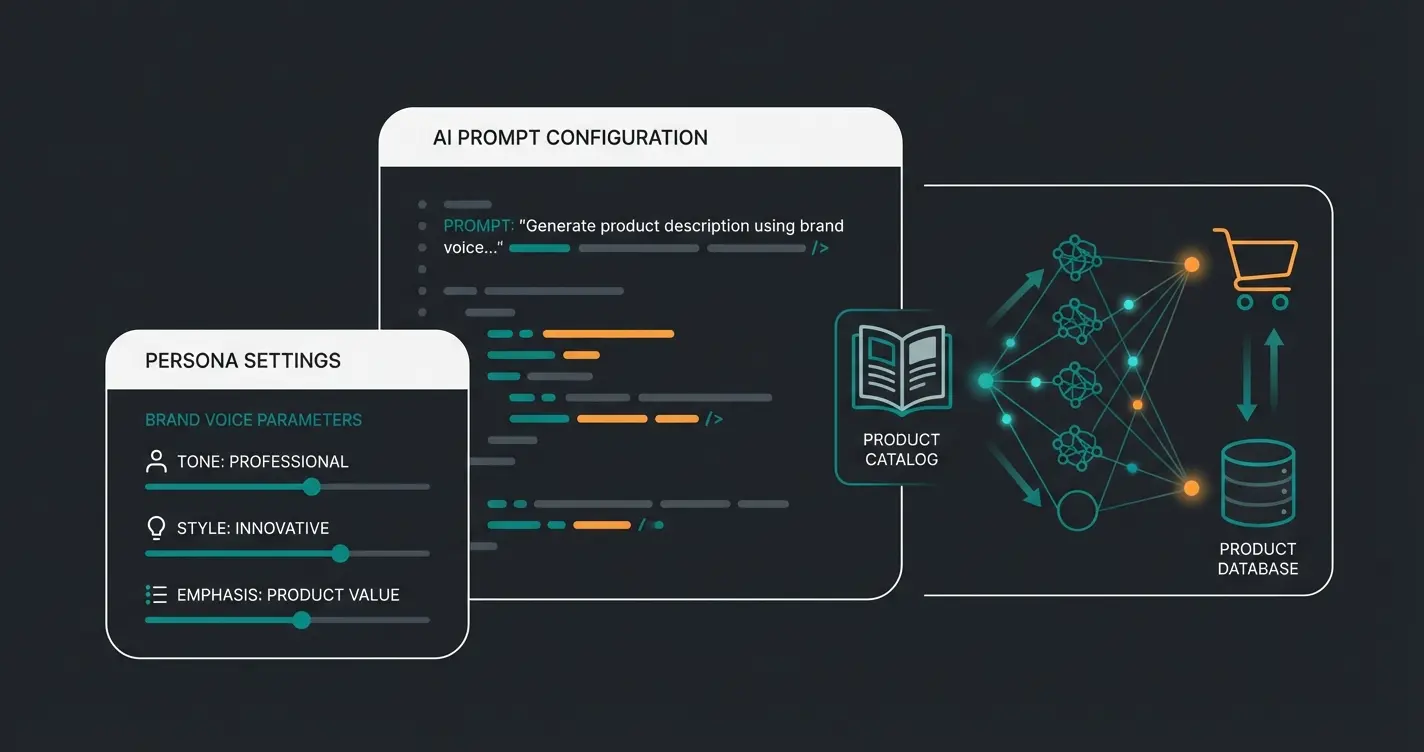
The Shopware Store has plugins like the "AI Product Advisor" or "Custom GPT Sales Assistant," as listed in the Shopware marketplace. These use the OpenAI API to provide a chatbot that "knows" your product catalog.
- Function: You upload your product feed (e.g., as CSV or PDF) to the plugin. The AI uses this data as a knowledge base.
- Advantage: Quick setup (often < 30 min), relatively inexpensive.
The key is proper AI Chatbot integration that matches your brand voice and product catalog.
Intelligent Search (Search-as-a-Service)
Providers like Doofinder or Klevu offer plugins for Shopware 6 that are far more than text search, as detailed in the Doofinder Shopware documentation and Klevu integration guide. They offer "Natural Language Processing" (NLP). A user can type "red shoes cheap," and the search automatically understands the concept "price sort: ascending" and "color: red."
- Advantage: Extremely fast (often < 25ms), mobile-first design, proven in large shops.
Step 2: UX Placement on Mobile (Beware the Trap!)
A common mistake when integrating chat widgets on mobile is placement.
- Don't: Place the chat button at the bottom right if that's also where the "Checkout" button or cookie banner often sits. Overlapping elements lead to "Rage Clicks" and poor INP values.
- Do: Use "Floating Action Buttons" (FAB) that hide when scrolling or move intelligently. Or even better: Integrate the AI search directly into the search field at the top, rather than as a separate chat window.
Step 3: Prompt Engineering for Your Shop
If you use a GPT-based plugin, you need to give the AI a "persona." Leveraging AI product consultation requires thoughtful prompt design.
- Bad: "You are a sales bot."
- Good: "You are an experienced outdoor expert for [Shopname]. You answer briefly and concisely (ideal for mobile readers). You recommend a maximum of 3 products per request. You ask follow-up questions if important information like size or intended use is missing."
Part 5: Comparison – Responsive Design vs. AI Optimization
To illustrate the added value, here's a direct comparison of the user journey. This demonstrates why AI product consultation boost is so effective.
| Feature | Standard Responsive Design | AI-Optimized Mobile Experience |
|---|---|---|
| Navigation | User clicks through 4 levels (Menu > Cat > Sub-Cat > Filter) | User asks 1 question (Text or Voice) |
| Product Discovery | User scrolls through 50 products in listing | AI suggests the 3 most relevant products |
| Information Content | Static product description (must be read) | AI summarizes relevant benefits for the specific question |
| Interaction Costs | High (Many clicks, lots of scrolling) | Low (Input -> Result) |
| Abandonment Risk | High (due to "Filter Fatigue") | Low (User feels advised) |
Part 6: Checklist for Your Shopware Mobile Optimization
Use this list to bring your Shopware 6 shop up to date:
Technical Basics (Must-Haves)
- Update to Shopware 6.6+: Use the performance benefits of Vue 3 and Webpack 5 as documented in Shopware's technical specifications.
- INP Audit: Check your Core Web Vitals in Google Search Console. Is the INP on mobile over 200ms? If so: Reduce JavaScript according to SEOptimer guidelines!
- Image Optimization: Use WebP or AVIF formats (Shopware supports this natively).
- Server Response: Use caching (Varnish/Redis) to keep TTFB (Time to First Byte) under 300ms.
UX & Design Essentials
- Thumb Zone Check: Are all important buttons (Cart, Search) reachable with the thumb without having to reposition the phone?
- Sticky CTA: Does the "Add to Cart" button remain visible when scrolling on the product detail page?
- Simplify Forms: Use Auto-Fill and reduce required fields in checkout to the absolute minimum.
The AI Excellence (Blue Ocean Strategy)
- Intelligent Search: Implement a search that understands natural language (e.g., Doofinder, Algolia).
- Consultation Bot: Test a plugin like the "AI Product Advisor" for products that need explanation.
- Voice Search: Check if your search supports voice input (microphone icon)—this is growing massively in 2025.
Frequently Asked Questions
FID (First Input Delay) only measured the delay on the first user interaction, while INP (Interaction to Next Paint) measures response times across ALL interactions during the entire session. This makes INP a more comprehensive metric for mobile user experience. Google replaced FID with INP in March 2024, making it critical to optimize for consistent responsiveness rather than just initial load performance.
Studies show that AI-powered personalization and recommendations can increase revenue by 10-15%. More importantly, by addressing the root causes of mobile abandonment (filter fatigue, decision paralysis), AI consultation can potentially reduce the mobile cart abandonment rate from 85% to around 70-75%, bringing it closer to desktop performance levels.
There are three main approaches: Native Shopware AI Copilot (included in commercial plans), specialized plugins like AI Product Advisor or Custom GPT Sales Assistant from the Shopware Store, and intelligent search services like Doofinder or Klevu. The best choice depends on your budget, technical requirements, and how much customization you need.
Google considers an INP score under 200ms as 'good,' between 200-500ms as 'needs improvement,' and over 500ms as 'poor.' For optimal mobile performance and SEO rankings, aim for under 200ms. This requires optimizing JavaScript execution, implementing code splitting, and reducing third-party scripts on mobile views.
Implementation time varies by approach. Plugin-based solutions like AI Product Advisor can often be set up in under 30 minutes with basic configuration. Search-as-a-Service options like Doofinder typically require 1-2 hours for initial setup plus time for fine-tuning. Native Shopware AI features may require plan upgrades and configuration but integrate seamlessly with existing workflows.
Conclusion: The Future Belongs to Smart Shops
Shopware mobile optimization has evolved. It's no longer enough for your shop to adapt to screen size. It must adapt to the user.
The statistics for 2025 are clear: Mobile is the primary channel, but also the channel with the highest abandonment rates. The technical foundation of Shopware 6.6 gives you the tools to be fast. But speed alone doesn't sell, as confirmed by data from SpeedCommerce and OuterBox Design.
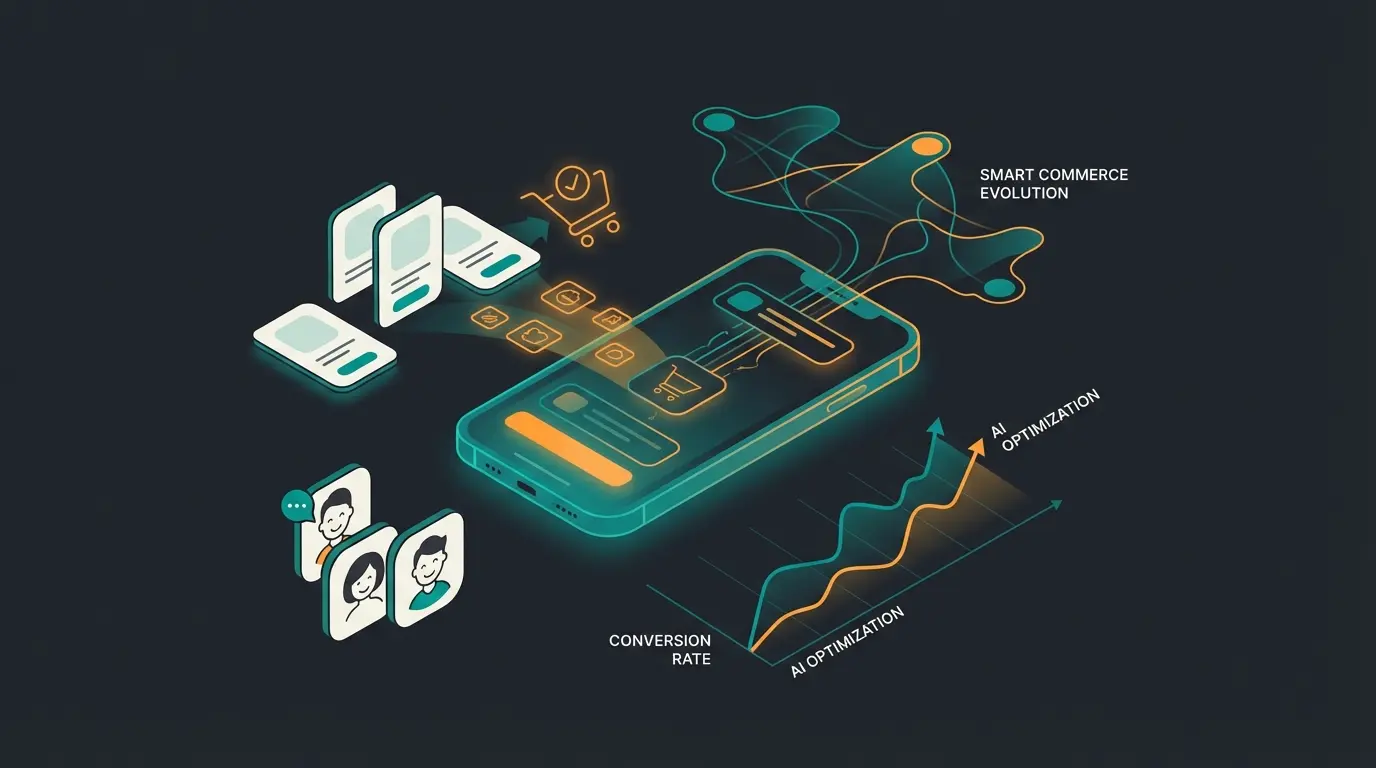
The integration of AI-powered consultation is the lever to finally raise the mobile conversion rate to desktop levels. By replacing the complexity of navigation with the intelligence of conversation, you create a shopping experience that is not just "mobile-friendly," but "mobile-native."
Action Recommendation: Start small. Optimize your INP value and then test an AI search plugin. Measure the conversion rate of users who use the search compared to those who navigate. The results will convince you.
Join leading Shopware merchants who've boosted mobile conversions by implementing AI-powered product consultation. Start your journey to mobile-native commerce today.
Get Started Free