
Introduction: Why Lift and Shift No Longer Works in 2025
July 2024 marked a watershed moment in German e-commerce: The official End-of-Life (EOL) of Shopware 5 came into effect. According to arboro.de and Shopware's official announcements, this end-of-support status means no more official security patches or feature updates. While providers like SafeFive continue to offer security updates and compatibility patches to temporarily secure Shopware 5 operations, the technological gap widens daily.
While many merchants view the Shopware migration as a necessary evil—a purely technical "update" to close security gaps—this process contains an enormous, often overlooked opportunity. Those who simply shovel their data from A to B ("Lift and Shift") bring old problems, messy attribute structures, and outdated UX concepts into the new system.
This guide is different. We focus not only on the technical commands of the Migration Assistant (although we cover these in detail), but on strategic transformation. We'll show you how to use the migration to achieve proper data hygiene that makes manual maintenance obsolete, rescue SEO rankings through precise 301 redirects, and integrate AI tools that reduce your return rates. Understanding Shopware AI features is essential for maximizing the potential of your new platform.
Part 1: Why Migrate Now? (Beyond Just Security)
The security risks of an unsupported system are well known. But there are more compelling economic reasons for switching to Shopware 6 in 2025.
The Technology Trap: PHP and MySQL Version Requirements
Shopware 5 is built on technologies that have themselves reached end-of-life. Shopware 6 requires modern standards. As of 2025, according to Shopware's system requirements, Shopware 6.6 requires at least PHP 8.2. Old Shopware 5 instances often still run on PHP 7.4 or 8.0, which no longer receive official security updates. A hosting upgrade is often impossible without a shop upgrade.
API-First and Headless Architecture
Shopware 5 was a monolith. Shopware 6 is API-first. This means every function of the shop is accessible via an interface (API). Why is this important? You want an AI chatbot that checks inventory levels? In SW5, this was a nightmare. In SW6, it's standard. You want to display products on a smart mirror in your retail store? With SW6's API architecture, it's easily possible. This architecture is what makes Shopware API automation so powerful for modern commerce.
The AI Factor: From Catalog to Consultant
The biggest strategic advantage is AI integration. According to Shopware and Communicode's analysis, Shopware 6 offers the AI Copilot and extensions for Guided Selling—tools that were unthinkable in the old world. The ability to implement Shopware product finders transforms how customers interact with your catalog.
The Problem: According to Bitkom research, German online shoppers return an average of 11% of goods, with fashion often reaching up to 50%. The main reason: The product doesn't fit or doesn't meet expectations.
The Solution: Use the migration to switch from a "search bar logic" (customer must know what they're looking for) to a "consultation logic" (AI asks customers about their needs). This is where AI product consultation becomes a game-changer for your business.
German online shoppers return 11% of goods on average, rising to 50% in fashion
Shopware 6.6 requires PHP 8.2 minimum—older versions are security risks
A proper migration with optimization takes 3-6 months, not weeks
Shops can lose this much traffic without proper 301 redirects
Part 2: The 5-Step Migration Process
A successful Shopware migration is 80% planning and 20% execution. Here is the detailed roadmap, enriched with expert tips missing from standard documentation. For those interested in the broader platform comparison, our Shopware vs Magento analysis provides additional context.
Step 1: Preparation and System Requirements
Before you copy even a single file, the target environment must be ready. Shopware 6 has high demands on server infrastructure.
System Requirements Checklist (As of 2025 for SW 6.6+):
- PHP: Version 8.2 or 8.3 (PHP 8.4 is partially supported already—check your plugin compatibility)
- Database: MySQL 8.0+ or MariaDB 10.11+ (Note: Older MariaDB versions can cause migration errors)
- Memory: `memory_limit` of at least 512M, but 1GB+ is recommended for the migration process
- Node.js: Version 20+ for compiling the frontend, as confirmed by Shopware documentation
Step 2: The Plugin and Data Audit
This is the most important strategic step. According to Mageplaza's guide, install the "Migration Connector" plugin in your Shopware 5 shop. In your new Shopware 6 instance, install the "Migration Assistant."
The "KonMari" Method for Plugins: Review all installed plugins in SW5 using these three questions:
- Do I still need this? Many functions (e.g., certain CMS elements or Rule Builder functions) are included in SW6 Core.
- Is there a successor? Check the Shopware Store for compatibility.
- Is this data garbage? Old plugins often created their own database tables. If you no longer need them, do not migrate this data.
Step 3: Data Transfer (Migration Assistant and CLI)
The Shopware Migration Assistant is the heart of the move. It connects via API to your old shop and pulls data (products, customers, orders) over.
The Process:
- Establish connection (API key from SW5 user profile)
- Data selection (What should be migrated?)
- Mapping (Assignment of old payment methods/shipping methods to new ones)
The Problem with Large Data Volumes: According to Shopware's community forums and official troubleshooting, for shops with more than 10,000 products or many variants, the Migration Assistant often crashes in the browser (timeouts, memory limits).
The Data Hygiene Gap: Clean While You Migrate
Most agencies migrate data 1:1. This is a mistake. Scenario: In SW5, you have a free-text field `attr4` for "Material." In SW6, you should convert this into a "Property" so it becomes filterable. Strategy: Use the mapping in the Migration Assistant to convert old, rigid free-text fields into flexible SW6 properties or custom fields. This is your chance to implement proper Shopware structured data from the start.

Step 4: Template and Theme Rebuilding
This is where most manual work awaits. Shopware 5 used the Smarty template engine. Shopware 6 uses Twig and the Bootstrap framework (or Tailwind in newer approaches).
- Reality: You cannot "migrate" your old theme. You must rebuild it.
- Opportunity: Use the "Shopping Experiences" (Erlebniswelten) in SW6. Build landing pages via drag and drop instead of hardcoding them.
This rebuild process is also the perfect time to implement Shopware workflow automation and leverage the Shopware Flow Builder for your business processes.
Step 5: SEO and URL Redirects (Critical Success Factor)
This is the point where shops can lose 40-60% of their traffic after relaunch if mistakes are made.
The Problem: According to great2gether's analysis, the URL structures differ significantly:
- SW5 URL structure: `domain.com/category/article-id/productname`
- SW6 URL structure: `domain.com/productname/productnumber` (configurable, but technically generated differently)
Shopware 6 generates URLs based on templates. The old URLs from SW5 don't work automatically in the new structure. But Google has indexed the old URLs.
The Solution: You must set up 301 redirects (Permanent Redirects) for every old URL.
- Automatic forwarding: The Migration Assistant attempts to transfer SEO URLs, but this doesn't always work perfectly, especially with changed category trees.
- Professional tools: Use plugins like "SEO Redirect" as noted by Shopware Store and scope01, or import a CSV mapping table directly into the database.
- Verification: Crawl your old shop (e.g., with Screaming Frog) before shutdown and save all URLs. Crawl the new shop after launch and verify that old URLs redirect correctly.
Proper redirect management is essential for maintaining your search rankings. This pairs well with optimizing your Shopware sitemap configuration for the new platform.
Set up staging server, verify PHP 8.2+, MySQL 8.0+, and 512M+ memory allocation
Apply the KonMari method: remove unused plugins, identify successors, delete data garbage
Use Migration Assistant for config, then run CLI commands for stable large-scale transfers
Rebuild themes in Twig, leverage Shopping Experiences for drag-and-drop page building
Map all old URLs to new ones with 301 redirects, verify with crawling tools
Part 3: Common Pitfalls—Where Shops Lose Money
The Media Garbage Trap
Over the years, thousands of unused images accumulate in Shopware 5 (thumbnails in 10 sizes, old banners).
- Mistake: Migrating everything. This bloats the new shop and costs performance.
- Solution: Clean up the Media Manager in SW5 before migration. Delete unassigned images. Migrate only what is actively linked.
Loss of Order History
Customers hate it when they can't log in to the new shop or their old orders are gone.
Important: Passwords are encrypted differently in SW6 (Sodium/Bcrypt). Shopware can often migrate old SW5 passwords (MD5/SHA256) and perform "rehashing" (updating) on first login. Test this thoroughly with test accounts! This is critical for maintaining good Shopware customer service standards.
Performance Drop at Launch
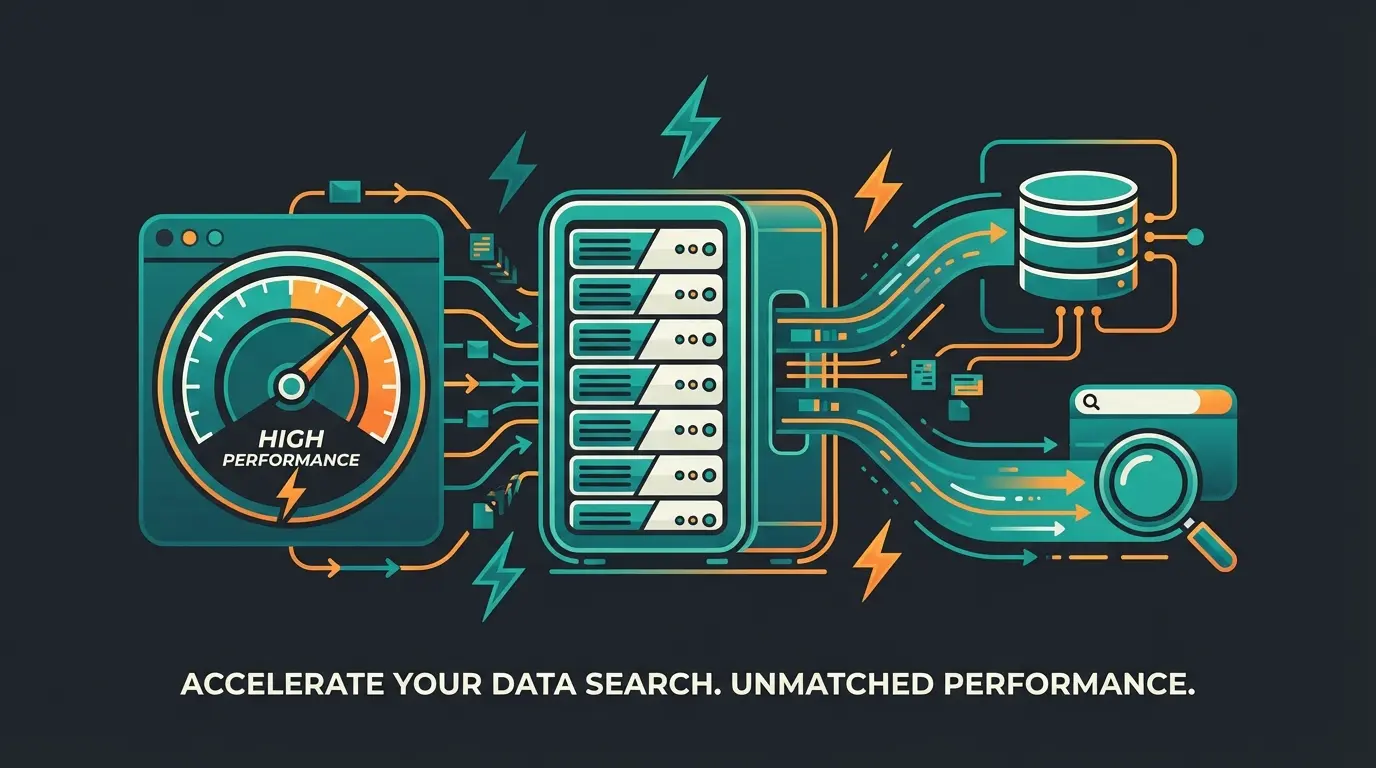
Shopware 6 is performant, but only when properly configured. A "fresh" shop without a warmed cache is slow.
Part 4: Future-Proofing—Make Your Shop Intelligent
Here's where this guide differs from standard documentation. You now have a clean Shopware 6 shop. What now?
Data Cleansing with AI
After migration, your data is there but often "dirty" (different spellings for manufacturers, missing descriptions). Use Case: Use the Shopware AI Copilot or external tools (via API) to standardize product descriptions. Let AI extract attributes from description texts (e.g., move "Material: Cotton" from flowing text into a filter field). The ability to automate Shopware support processes further enhances efficiency after migration.
Guided Selling Instead of Filter Frustration
In Shopware 5, customers had to set filters: Color: Blue -> Size: L -> Material: Wool. In Shopware 6, you can implement Guided Selling (Digital Sales Rooms / consultation tools).
Concept: Build an interactive advisor ("What type of flooring are you looking for?" -> "For which room?" -> "How heavily trafficked?").
Technique: Use "Dynamic Product Groups" in SW6. These groups fill automatically based on rules. The advisor then filters these groups in the background.
Result: The customer feels consulted, not managed. Conversion rate increases, return rate decreases because wrong purchases are avoided. This approach to Shopware conversion optimization delivers measurable results.
| Feature | Legacy Shopware 5 Search | Shopware 6 + AI Consultation |
|---|---|---|
| User Input | Keywords only | Natural language questions |
| Results | Long list of links | Curated, personalized recommendations |
| Data Requirement | Strict, structured attributes | Can work with unstructured descriptions |
| Customer Experience | Self-service filtering | Guided consultation journey |
| Return Rate Impact | No optimization | Significantly reduced through better matching |
When evaluating platform options, many merchants also consider alternatives. Our detailed Shopware vs Shopify comparison helps you understand why Shopware 6 excels for complex product catalogs.
Don't just move your data—upgrade your entire sales experience. Our AI-powered consultation tools integrate seamlessly with Shopware 6 to reduce returns and boost conversions from day one.
Start Your Free TrialPart 5: Migration Checklist (Summary)
Use this list as a rough roadmap for your project:
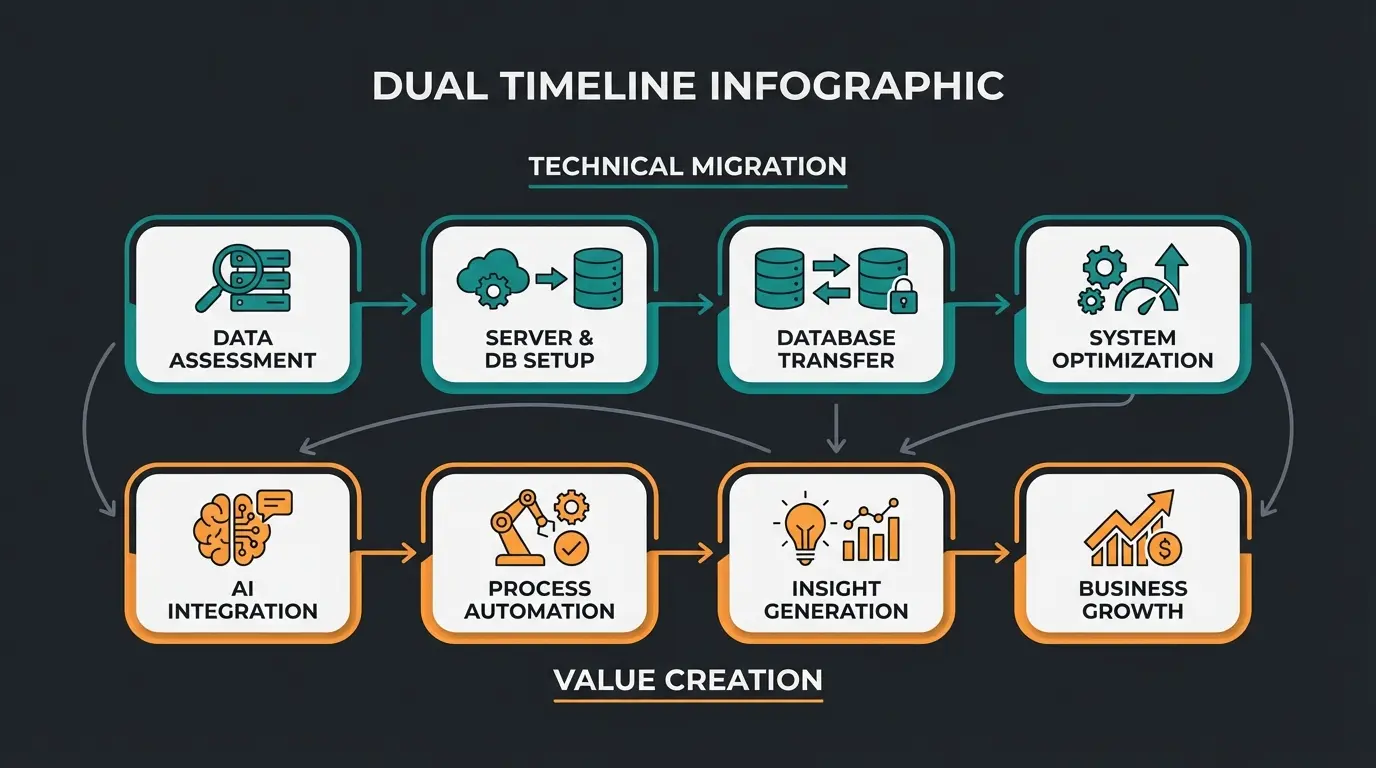
Phase 1: Analysis and Audit
- Clean up SW5 plugin list
- Delete data garbage (old images, inactive customers)
- Check hosting contract (PHP 8.2+, MySQL 8.0+)
Phase 2: Target System Setup
- Install Shopware 6 (latest stable version)
- Install Migration Assistant
- Set up Elasticsearch/Redis (for large shops)
Phase 3: Test Migration
- Migrate data via CLI
- Spot-check verification (prices, variants, customer data)
- Frontend check (are images displayed?)
Phase 4: Design and Functions
- Adapt/redevelop theme
- Build Shopping Experiences for homepage/categories
- Map and test shipping and payment methods
Phase 5: SEO and Go-Live
- Create and import 301 redirect table
- Integrate tracking (Google Analytics/Tag Manager)
- Perform delta migration (fetch only new data since test migration)
- DNS switch (point domain to new server)
FAQ: Common Questions About Shopware Migration
A simple "lift and shift" can be completed in 4-8 weeks. A strategic relaunch with design adaptation and process optimization typically takes 3 to 6 months. Plan buffer time for unforeseen data problems. The timeline depends heavily on your shop size, number of products, custom plugins, and how much data cleansing is needed.
Yes. According to Firebear Studio's research, the Migration Assistant supports profiles for Magento 1 & 2 as well as WooCommerce. However, the mapping is more complex than switching from SW5, since the data structures (e.g., for variants) are fundamentally different. Often a middleware tool or custom script is necessary.
If you change the URL structure (which is almost unavoidable with SW6) and don't set clean 301 redirects, you will lose rankings. However, if you redirect cleanly and the performance of the new shop is better (Core Web Vitals), you can even gain rankings in the medium term. The key is meticulous URL mapping and verification with crawling tools.
SafeFive is excellent for buying time. However, it is not a permanent solution. It freezes your shop technologically at the 2024 level. New marketing tools, AI features, or modern payment interfaces are primarily developed for Shopware 6. Use SafeFive to plan the migration in peace, not to prevent it.
Shopware 6's API-first architecture makes it significantly easier to integrate AI tools compared to SW5. Most modern AI solutions are designed with API connectivity in mind, and SW6's headless capabilities mean you can connect virtually any AI service—from chatbots to recommendation engines to guided selling tools—with proper API integration.
Conclusion: Transform, Don't Just Transfer
The Shopware migration is more than a technical mandatory appointment. It's the moment when you transform your shop from a "digital warehouse" into an "intelligent sales room." Use the capabilities of Shopware 6 to structure your data and offer your customers a better shopping experience.
The merchants who treat migration as a mere data transfer will find themselves with a shiny new platform that operates exactly like their old one—with all its limitations. The merchants who treat migration as a transformation opportunity will emerge with cleaner data, smarter customer interactions, lower return rates, and a foundation ready for the AI-driven future of e-commerce.
Ready for the switch? Start today with an audit of your legacy data.
Migration is your once-in-a-decade opportunity to upgrade everything. Let our AI-powered tools help you launch a Shopware 6 shop that doesn't just work—it actively sells. Start with a free trial and see the difference intelligent commerce makes.
Get Started Free