
Why Checkout Is the Graveyard of E-Commerce Conversions
Have your customers filled their shopping cart only to abandon it at the last moment? You're not alone. The checkout is the "final boss" of e-commerce. But while most store owners frantically swap plugins or compare fees, they overlook the real problem: the psychology behind payment.
In this comprehensive 2025 guide, we dive deep into Shopware payment solutions. We'll not only uncover the best providers for the DACH region and the technical intricacies of Shopware 6.6, but we'll also show you an entirely new perspective: how AI-driven product consultation can alleviate your customers' "payment anxiety" before they even reach the checkout.
The statistics are alarming but consistent. According to the Baymard Institute, the average cart abandonment rate in 2024 stands at 70.19%. That means: out of 10 customers who add a product to their cart, 7 leave it there.
Average abandonment rate across e-commerce in 2024
Primary reason for abandonment (shipping, taxes)
Customers abandoning due to registration requirements
Concerns about payment security
The reasons are varied. According to Shopify research, unexpected additional costs (shipping, taxes) are the main reason at 48%. Forced account creation deters 26%. Lack of trust in the site's security affects approximately 25%.
But there's a "blind spot" in this analysis that most Shopware merchants ignore: Product uncertainty. Often, the purchase isn't abandoned because PayPal doesn't work or the credit card fee is too high, but because the customer is still not sure whether the product really fits. The checkout is merely the place where this uncertainty culminates.
The thesis of this article: A perfect Shopware payment setup consists not only of the technical integration of Mollie or PayPal. It requires a bridge between product consultation and the payment process. This is where artificial intelligence comes into play. Understanding AI consulting in e-commerce is essential for modern conversion optimization.
Top Shopware Payment Providers: DACH Market Comparison 2025
Before we get to strategy, we need to lay the foundation. Which providers dominate the German market and how do they differ in costs and target audience? When comparing Shopware payment plugins, you'll find significant differences in features and pricing.
Shopware 6 offers standard payment methods out of the box (prepayment, cash on delivery), but for a modern shop, you need Payment Service Providers (PSP). Understanding the landscape is crucial for making informed decisions about your payment stack.
Comparison Table: The Key Players
| Provider | Type | Approx. Fees (Transaction)* | Best For | Shopware Specialty |
|---|---|---|---|---|
| PayPal | Wallet / All-rounder | ~2.49% + €0.35 (Standard DE) | B2C & B2B (small amounts) | The "must-have" trust factor. Almost every DE customer has an account. |
| Mollie | PSP (All-in-One) | ~1.2% + €0.25 (cards), iDEAL fixed | SMB & Growth | Extremely simple plugin, no monthly fixed costs, covers almost everything. |
| Klarna | BNPL (Invoice/Installments) | Variable (often higher, ~3% + fixed) | B2C (Fashion, Lifestyle) | Market leader for "Buy Now Pay Later" in B2C. High acceptance among younger demographics. |
| Mondu / Billie | B2B BNPL | Individual (often 2-4%) | B2B Shops | "Klarna for B2B". Enables invoice purchases with protection for business customers. |
| Unzer | PSP | Individual | Enterprise / POS | Strong in connecting online & brick-and-mortar (omnichannel). |
Note: Fees can vary significantly depending on sales volume and individual contracts. Data as of 2024/2025. For detailed fee comparisons, check resources like [Noda](https://vertexaisearch.cloud.google.com/grounding-api-redirect/AUZIYQEQmevNOVpSn8vWC9iAPU-33QNH-iTAigSwjxRrTffDBWn2RuZOlqC6QORgYpi2LrK6b-rAyQ46B0I3ScwZSeGcFNYxTYx-iqShrRpliTm89w2Ygo3qfkZcxZDsvciy) and [Mollie](https://vertexaisearch.cloud.google.com/grounding-api-redirect/AUZIYQEIKZFVH0i6pPaHnznl6CKxilh2RjQT2LsEjZaIEZyKicgMAdfn5GFvhc96CAoX9Vk9WlYMvaA8N26-W4yr0-qjjdiD4Zb-67HQNNeD02VcgJJUPk0=).
Detailed Analysis of Top Providers
Mollie: The Flexibility Champion
For many Shopware merchants, Mollie is the first choice. Why? The plugin is excellently rated and the pricing structure is transparent ("Pay as you grow"). There are no setup fees or monthly fixed costs, as confirmed by GetGekko. Particularly strong: Mollie seamlessly integrates local heroes like iDEAL (Netherlands) or TWINT (Switzerland).
- Strategic Advantage: If you want to internationalize quickly, you can simply enable new country-specific payment methods in the Shopware backend with a click.
- Transparent Pricing: No hidden fees or complex contract structures make budgeting predictable.
- Developer-Friendly: Excellent API documentation and plugin support for Shopware 6.
PayPal: The Trust Seal
PayPal is more than a payment method; it's a trust signal. The integration of PayPal Checkout in Shopware 6 now also includes "Pay Later" (installment payment) and credit card processing, even if the customer doesn't have a PayPal account. However, as Shopify notes, the fee structure is complex and often includes cross-border fees.
Mondu & Billie: The B2B Revolution
Shopware is traditionally strong in the B2B sector. This is where classic B2C solutions often fail. B2B customers expect invoice purchases with payment terms (30/60/90 days). Providers like Mondu (plugin available in the store) offer exactly that: they assume the default risk and pay you immediately while the customer pays later. According to Shopware's official store, this is increasingly crucial for B2B success.
Use Case: A craftsman orders materials for €5,000. He doesn't want to pay by credit card. Mondu checks creditworthiness in real-time (real-time scoring) and approves the purchase. As Mondu explains, this transforms the B2B buying experience entirely.
For a deeper understanding of how B2B and B2C payment requirements differ, explore our AI consultation strategy comparison guide.
Strategic Setup: Matching Payments to Your Business Model
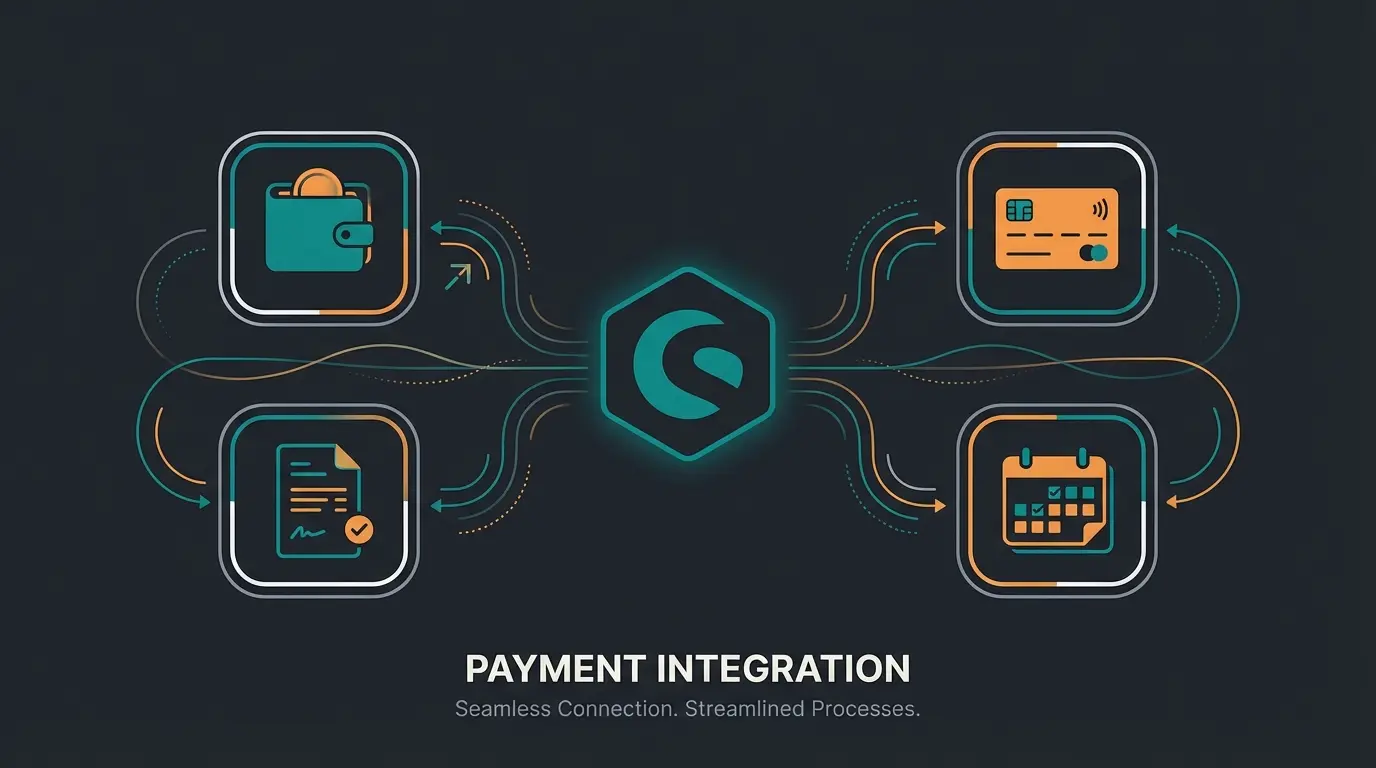
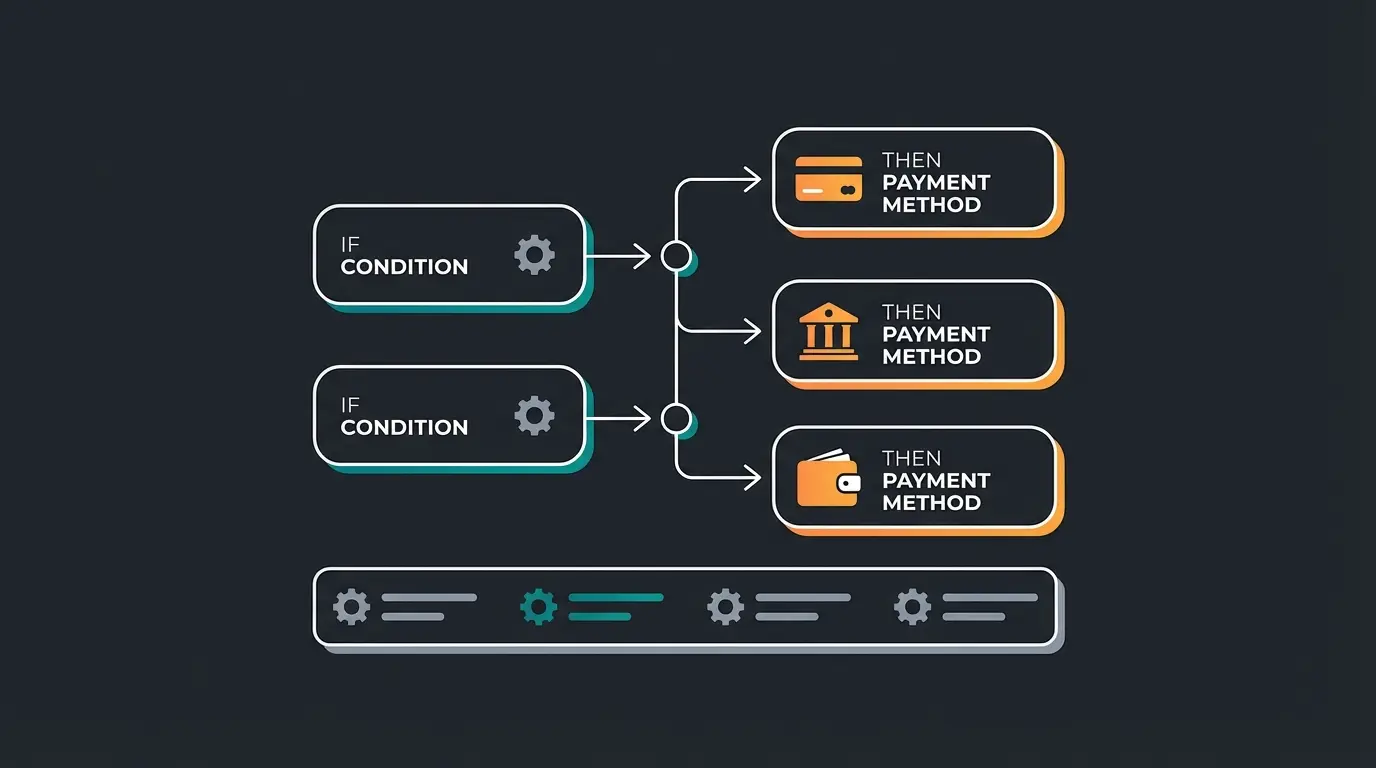
Not every payment method suits every shop. A "more is better" approach often leads to "choice overload" for the customer. Use the Shopware Rule Builder to intelligently control payment methods. This strategic approach to Shopware checkout optimization can significantly reduce friction.
Scenario A: High-Ticket Items (e.g., E-Bikes, Furniture > €2,000)
Here, the customer's liquidity is the bottleneck. When someone is considering a €2,500 laptop or a €3,000 e-bike, the immediate financial burden can trigger hesitation that leads to abandonment.
- Strategy: Prioritize installment payments and financing options prominently.
- Implementation: Use the Rule Builder to push "prepayment" or "instant transfer" down and prominently display financing options (e.g., via Santander or Klarna installment purchase) when the cart exceeds €500.
- Psychology: Frame the high price as manageable monthly payments ("Just €85/month") rather than a single large sum.
Scenario B: The B2B Shop (Machine Parts, Wholesale)
Business customers abandon their carts when they have to pay immediately. Unlike consumers, B2B buyers often operate on different financial cycles and approval processes.
- Strategy: Invoice purchase is mandatory, not optional.
- Implementation: Create a rule in Rule Builder: `IF Customer Group = "B2B" THEN show "Invoice Purchase"`.
- Tip: Use plugins like Mondu to outsource the risk of payment defaults to the provider. According to Mondu's B2B research, B2B cart values are typically 3-5x higher than B2C.
Scenario C: Internationalization (Switzerland & UK)
German payment methods don't work abroad. Ignoring local payment preferences is one of the fastest ways to lose international customers.
- Switzerland: Without TWINT and credit card, you'll lose sales. Swiss consumers have strong preferences for local solutions.
- Netherlands: iDEAL is bigger there than PayPal—it's used for over 60% of online transactions.
- Implementation: Use the `Delivery Country` condition in Rule Builder to hide irrelevant payment methods (e.g., Giropay in France). This reduces cognitive load at checkout.
The Hidden Gap: Why Users Really Abandon at Payment
We've seen above that 70% of shopping carts are abandoned. The standard solution from most agencies is: "We need a one-page checkout" or "We need Amazon Pay for more speed." That's correct, but not complete. For comprehensive strategies on reducing abandonment, check out our AI prevention guide.
The Phenomenon of "Purchase Anxiety"
Imagine a customer standing at checkout. They see the "Buy Now" button. At that moment, what shoots through their mind isn't: "I hope this shop supports American Express," but rather:
- "Does this replacement part really fit my 2018 machine?"
- "Is the sofa color really like in the picture?"
- "What if I need to return it? How complicated will that be?"
This product uncertainty manifests as payment abandonment. The customer hesitates, looks for a reason to wait ("I'll do it later") and is gone. This is where AI consultation outperforms traditional approaches.
The Problem: Most Shopware setups strictly separate the product page (information) from checkout (transaction). When uncertainty arises at checkout, there's no one there to resolve it. The customer is alone with their doubts at the most critical moment of the buying journey.
Customer finds and browses products of interest
Intelligent assistant answers questions and confirms product fit
Confident customer adds product with clarity
AI suggests optimal payment method based on context
Customer completes transaction with confidence
Discover how AI consultation bridges the gap between product questions and payment confidence. Reduce your 70% abandonment rate with intelligent customer guidance.
Start Free TrialHow AI Consultation Smooths the Path to Payment
Here's your chance to differentiate from the competition. Instead of just installing payment plugins, position your solution as a "Conversion Assurance Tool." Modern AI-powered sales consultants go far beyond simple FAQ bots.
From Chatbot to Sales Consultant
An AI consultant on the product page (or even in a checkout overlay) can bridge the gap between browsing and buying. Unlike traditional support bots that only answer questions, AI product consultation actively guides customers toward purchase decisions.
Use Case 1: Proactive Financing Suggestions
A customer lingers on an expensive product (e.g., €2,500 laptop). This behavior signals interest but also hesitation—a critical moment that determines whether the sale happens or not.
Without AI: Customer sees the price, gets sticker shock, leaves the shop. Another lost opportunity in your analytics.
With AI: The AI recognizes the hesitation and opens a dialogue:
Result: The AI "sells" the payment method before checkout. The hurdle of the high price is overcome. The customer's mental calculation shifts from "Can I afford €2,500?" to "Can I afford €85/month?"—a much easier yes.
Use Case 2: Eliminating Return Anxiety (B2B & Fashion)
A customer has 3 sizes in their cart—a classic indicator of uncertainty that often leads to either abandonment or expensive returns.
Without AI: Customer goes to checkout, sees "Order with payment obligation," gets anxious about the return process, and abandons. The complexity of potentially returning multiple items is overwhelming.
With AI: The AI advises on fit:
Result: The customer cleans up their cart to one item (fewer returns for you!) and proceeds to checkout with confidence. Win-win: higher conversion, lower return costs. This is how AI sales assistants transform the buying experience.
Integration with Shopware Payment Stack
Modern AI solutions can access the payment methods stored in the Shopware backend via API. This means the AI knows whether installment purchase is active and can use this as a sales argument. This transforms the passive process of "paying" into an active sales conversation.
The key insight: payment isn't just a transaction endpoint—it's a conversion opportunity. When your AI consultant can seamlessly weave payment options into product discussions, you remove friction before it even occurs. For tracking these improvements, implement AI-driven consultation tracking in your analytics setup.

Technical Quick-Start: Setting Up Shopware Payments
For everyone who wants to get started right away: here's the compact guide for setup in Shopware 6 (taking into account the changes in version 6.6). This process is straightforward but requires attention to detail.
Step 1: Plugin Installation
- Go to the Shopware Store or in the Admin under `Extensions > Store`.
- Download the plugin from your provider (e.g., Mollie, PayPal, Mondu).
- Install and activate it under `My Extensions`.
- Verify the plugin version is compatible with your Shopware version.
Step 2: API Connection
- Open the plugin configuration in your Shopware admin.
- Enter the API keys (you receive these from the payment provider's dashboard, e.g., "Live API Key" and "Test API Key").
- Important: Always test in sandbox mode first before going live!
- Verify the connection by checking the plugin status indicator.
Step 3: Activation in Sales Channel
A common mistake: The plugin is installed, but the payment method doesn't appear in the frontend. This catches many merchants off guard.
- Go to your Sales Channel (e.g., "Storefront").
- Scroll to Payment Methods.
- Add the new methods and set one as default.
- Save and clear your cache to see changes immediately.
Step 4: Rule Builder (The Advanced Part)
Use the Rule Builder (`Settings > Rule Builder`) to create conditions. According to Shopware's documentation, this is one of the most powerful features for payment optimization.
- Rule: "Cart under €10"
- Action: Block "Credit Card" (due to fixed transaction fees that eat into margin).
- Assign this rule under `Settings > Payment Methods > Availability` to the respective method. Further Shopware guidance provides detailed rule examples.
FAQ & Troubleshooting: When Things Don't Work
Here are the most common problems that appear in forums and support tickets, quickly resolved. These solutions come from real merchant experiences and community discussions.
This is usually due to API credentials or currency settings. Check if you have "Sandbox" active in the PayPal plugin but are using "Live" data (or vice versa). Also check in the Rule Builder if a rule is preventing display (e.g., "Only for DE" but you're testing from AT). Additionally, verify that PayPal is assigned to your active sales channel and that all required fields in the plugin configuration are filled.
Create a rule in the Rule Builder: `Number of Orders >= 1`. Then go to `Settings > Payment Methods > Invoice` and add this rule under "Availability." This way, only existing customers see this option. This reduces fraud risk while rewarding customer loyalty with more payment flexibility.
There's no blanket answer, but as a rule of thumb for 2025: Mollie is more transparent for mixed carts with no monthly fixed costs. PayPal is more expensive for high volumes but indispensable for conversion due to customer trust. Tip: Negotiate directly with providers for "Volume Pricing" starting at approximately €50,000 monthly revenue.
Shopware 6.6 removed the `customerDefaultPaymentMethod` function. If your rules relied on this customer attribute, they need to be rebuilt using alternative conditions. Check your rules in the Rule Builder and replace any references to default payment methods with cart-based or customer-group-based conditions instead.
Use the Rule Builder to create a condition based on "Billing Country" or "Shipping Country." Create a rule like "Country is NOT Germany" and assign it as an exclusion rule for German-only payment methods like Giropay. This ensures customers only see relevant payment options for their region.
Conclusion: The Future of Payments Is AI-Assisted
The topic of Shopware payment in 2025 is far more than just the choice between PayPal and credit card. It's a strategic interplay of three critical elements that determine your e-commerce success.
- The right providers for your target market (B2B vs. B2C, domestic vs. international).
- Technical excellence (clean Rule Builder rules & Shopware 6.6 compatibility).
- Psychological security for the customer through proactive assistance.
This is where the circle closes with your AI consulting approach. Those who manage to remove customer uncertainty before checkout through intelligent consultation and then dynamically serve them the appropriate payment method (e.g., financing for high-ticket items) will not only have fewer cart abandonments but also higher average order values.
The integration of AI product consultation into your payment strategy isn't just an optimization—it's a competitive advantage. As competitors focus solely on checkout forms and payment plugin configurations, you're addressing the root cause of abandonment: customer uncertainty.
Checklist for Your Payment Audit
- ☐ Are all payment methods activated in the Sales Channel?
- ☐ Have rules been created separately for B2B/B2C customer groups?
- ☐ Is the Shopware 6.6 transition (Default Payment Method removal) accounted for?
- ☐ Are expensive payment methods hidden for small amounts to protect margins?
- ☐ New: Is the payment method (e.g., installment purchase) already promoted on the product page?
- ☐ Is AI consultation active to address product uncertainty before checkout?
- ☐ Are country-specific payment rules configured for international sales?
Don't just optimize your checkout form—optimize the entire decision process that leads to it. See how AI consultation can reduce your cart abandonment rate and increase conversions.
Get Started Free