Introduction: The Search for a Phantom
It's one of the most frustrating experiences in digital life: WhatsApp isn't working, the verification code won't arrive, or—worst case scenario—your account has been banned. You type "WhatsApp support" into Google and find hundreds of contradictory pieces of information, dubious hotlines, and forum posts from 2018.
The reality is: WhatsApp has over 2.78 billion users worldwide, according to Verloop.io. Offering human phone support for such a massive user base is logistically impossible. But here's where the misunderstanding lies. While users search desperately for help, innovative companies recognize that the gap between "rigid FAQs" and "real humans" is being bridged by a new technology: AI-powered product consultation.
In this comprehensive guide, we'll first address the most pressing questions for private users (How do I actually contact WhatsApp?), before lifting the curtain to show how businesses are using this channel to redefine customer service in 2025. Whether you're looking for WhatsApp Business for support or want to understand how AI Chatbots transform customer experiences, this guide covers both perspectives.
Part 1: For Users – The Ultimate WhatsApp Support Guide
1. The Hard Reality Check: There Is No Phone Hotline
Before we show you how to make contact, we need to issue an important warning. If you search for "WhatsApp support phone number," you'll find various numbers on Google. Do not call these.
- The Fact: WhatsApp does not offer telephone customer support, as confirmed by GetHuman.
- The Danger: Many numbers circulating online are scam attempts. Fraudsters pose as support staff to intercept verification codes or gain access to your device, as reported by Avast.
- The Risk: Never share your 6-digit SMS code with third parties—not even someone claiming to be from WhatsApp, as warned by Me-OI.de.
2. Official Channels: How to Actually Reach WhatsApp
To effectively use WhatsApp support, you need to know the official channels. Meta (the parent company) has heavily digitized its contact options. Understanding the key WhatsApp Business fundamentals helps both users and businesses navigate this ecosystem.
Method A: In-App Support (The Fastest Way)
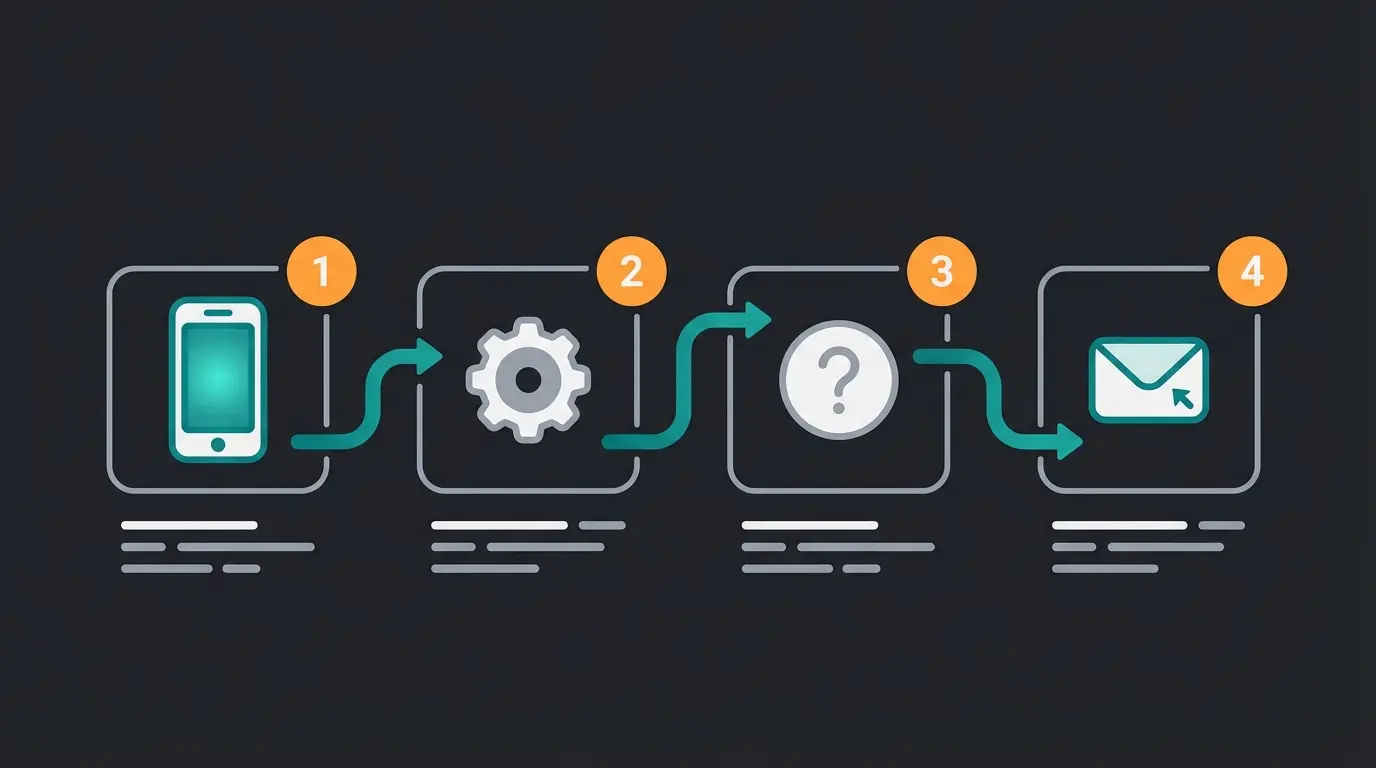
If you still have access to the app, this is your direct line to the "support WhatsApp" team. Follow these steps as documented by WikiHow:
- Open WhatsApp.
- Go to Settings (gear icon or three dots at top right).
- Tap on Help > Contact Us.
- Describe your problem in the text field.
- Important: Add screenshots if possible. WhatsApp automatically includes technical data (device model, app version), which speeds up processing.
Method B: Official Email Addresses
If your account is banned or you've lost your phone, the in-app method won't help. Instead, use these verified email addresses as confirmed by YCloud:
| Issue | Email Address |
|---|---|
| General Support (Android) | android_web@support.whatsapp.com |
| General Support (iPhone) | iphone_web@support.whatsapp.com |
| WhatsApp Web / Desktop | webclient_web@support.whatsapp.com |
| Business Inquiries (Business App) | smb_web@support.whatsapp.com |
| Accessibility Support | accessibility@support.whatsapp.com |
| Privacy Requests | privacy@whatsapp.com |
3. WhatsApp Help Setup: When Installation Fails
Users often search for "whatsapp help setup" when initial installation fails. Here are the most common stumbling blocks and solutions for 2025, which you can transform it into a smooth experience:
- The SMS code won't arrive: Wait the full 5 minutes and use the "Call me" option. Make sure no VPN connection is active, as these are often blocked by WhatsApp according to WordPress community forums.
- Migrating from Android to iOS (and vice versa): Use the official "Move to iOS" app (for Android to iPhone) or the Samsung Smart Switch Tool / Google Data Restore Tool (for iPhone to Android) as recommended by Apple. Third-party software is often unsafe and violates terms of service.
- Outdated operating systems: As of 2025, WhatsApp only supports Android 5.0+ and iOS 15.1+. Older devices are no longer supported for security reasons, according to Wikipedia.
Part 2: The WhatsApp Support Live Chat Myth
A significant search volume goes to the keyword "whatsapp support live chat". Users expect that they can—like with Amazon or Apple—immediately chat with an agent. Understanding the history of chatbots helps explain why this expectation exists.
Why There Is No Live Chat with WhatsApp
WhatsApp processes support requests through a ticket system. When you write through the app, you do receive a response in a chat window, but this is usually asynchronous communication. The first response often comes from a bot or is a template text. Real live interaction with Meta employees is not intended for private users.
The Turning Point: Live Chat at Businesses
Here we need to differentiate: While you cannot live chat with WhatsApp itself, thousands of businesses use WhatsApp to offer you live chat support. This is where WhatsApp AI chatbots transform the customer experience entirely.
This is the crucial bridge: WhatsApp is no longer just an app for private messages—it's evolving into the world's most powerful service platform.
If you're frustrated that WhatsApp doesn't offer good support, you should ask yourself as a business owner: Am I doing it better for my customers? The opportunity for AI consulting in e-commerce is massive.
of users find WhatsApp the most convenient way to contact businesses
hours of customer service time saved by AI chatbots by 2025
more purchases from personalized WhatsApp messages
Part 3: For Businesses – From Support to Product Consultation
The focus of this article now shifts. We've clarified how users can fix their app. Now we'll explain why businesses need to stop seeing WhatsApp as just a "complaint box."
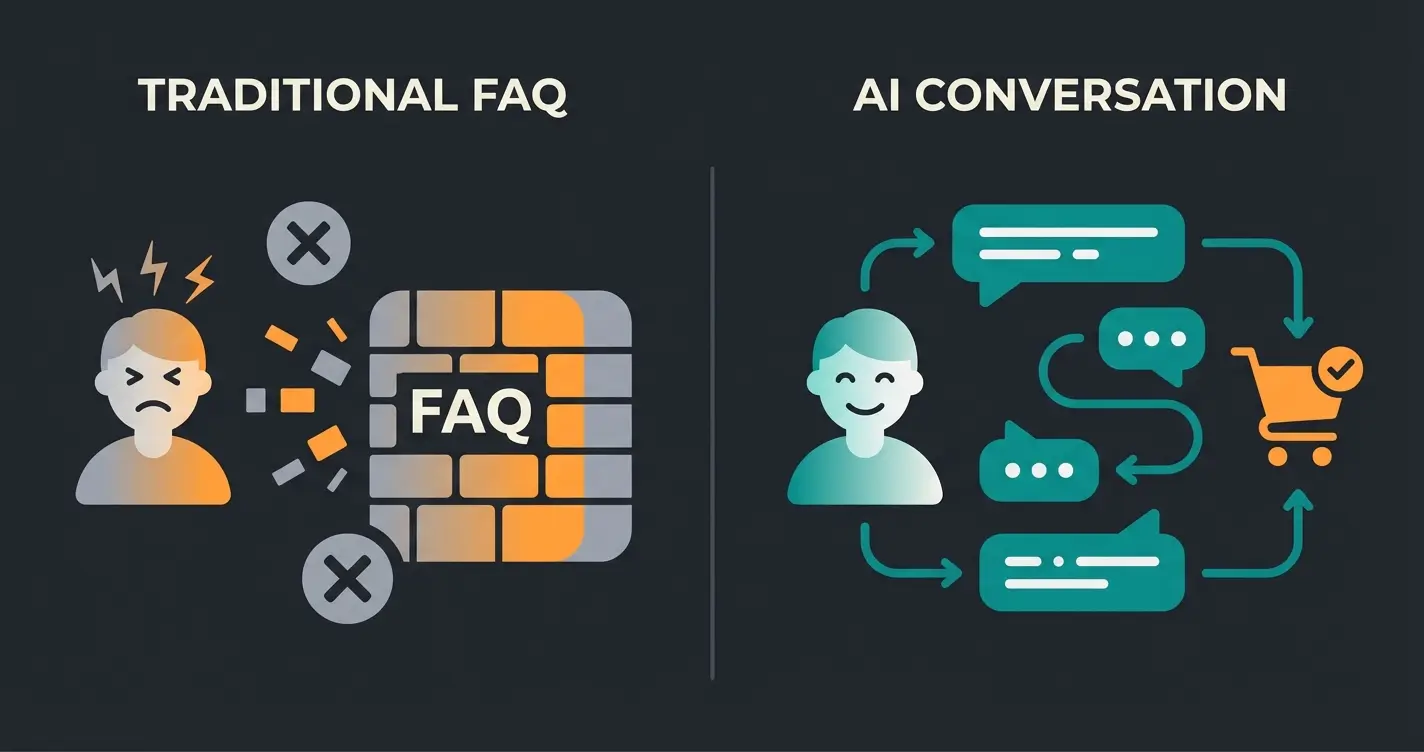
The Problem: Yesterday's Dumb Chatbot
Many businesses have introduced WhatsApp Business with a simple rule-based chatbot upfront. The result is often just as frustrating as trying to reach WhatsApp support:
- "Press 1 for opening hours."
- "I didn't understand your question."
- Endless loops without resolution.
This is support in the old style: Reactive, blocking, and designed for cost reduction. Modern AI Customer Service solutions take a completely different approach.
The Solution: AI-Powered Product Consultation
In 2025 and beyond, the trend is moving away from pure support toward proactive consultation. Thanks to LLMs (Large Language Models) and advanced AI, businesses can use WhatsApp to conduct real sales conversations. An AI Chatbot for E-Commerce can handle complex product queries with ease.
Difference: Support Bot vs. AI Consultant
| Feature | Classic Support Bot | AI Product Consultant (2025) |
|---|---|---|
| Goal | Avoid tickets / reduce costs | Drive sales / retain customers |
| Understanding | Only exact keywords ("invoice") | Context & nuance ("Which shirt matches blue pants?") |
| Response | Static links or template text | Generated, empathetic answers |
| Data Basis | FAQ database | Complete product knowledge & customer history |
| User Experience | "I want to speak to a human!" | "Wow, that was helpful." |
Why Product Consultation Is the New Standard
The data for 2025 is clear, as reported by Chatfuel, Trengo, and D7 Networks:
- Acceptance: 68% of users find WhatsApp the most convenient way to contact businesses.
- Speed: AI chatbots are expected to save 2.5 billion hours of customer service time by 2025.
- Revenue: Personalized messages on WhatsApp lead to 50% more purchases.
An AI consultant doesn't wait until something breaks (support). It helps customers find the right product before problems arise. It acts like an experienced salesperson in the store who's available 24/7. This transforms support into revenue-generating digital sales opportunities.
Stop losing customers to frustrating chatbots. Our AI-powered WhatsApp solution delivers personalized product consultation 24/7—turning support costs into sales opportunities.
Start Free TrialPart 4: Implementation – Building Support WhatsApp for Your Brand
You want to claim the secondary keyword "support whatsapp" for your business and implement a solution your customers will love? Here's the roadmap for 2025.
Step 1: The Right Infrastructure (WhatsApp Business API)
The free WhatsApp Business app isn't sufficient for professional scaling (data protection, no multi-user capability). You need the WhatsApp Business API, as explained by TryOwBot and BotPenguin:
- Cloud API: The standard since 2025. No own servers needed, hosted directly through Meta.
- Costs: The pricing model has changed. Since April 2025, charges are often per template category (Marketing, Utility, Authentication, Service) as noted by Heltar and Typebot. Service conversations (initiated by the customer) are often cheaper or partially free to encourage good support.
Select WhatsApp Business API (Cloud API) over the free app for scalability
Connect to an AI platform for intelligent product consultation capabilities
Feed product catalogs, manuals, and support history—not just FAQs
Set up seamless transfer to human agents when AI reaches limits
Obtain green checkmark verification and ensure GDPR compliance
Step 2: AI Integration (The "Consultant")
This is where the magic happens. Instead of programming simple "if-then" rules, you connect the API with an AI platform. The difference between traditional KI-Mitarbeiter AI Agents and modern solutions is significant, as documented by Glassix and Conversai Labs:
- Training: You feed the AI not just FAQs, but product catalogs, manuals, and previous support tickets.
- Tone of Voice: The AI learns how your brand speaks (formal/informal, emojis, technical or casual).
- Handover: Critical! The AI must recognize when it doesn't know further and seamlessly transfer to a human employee ("Human in the Loop") as noted by Sidetool.
A great example of successful AI implementation is the AI Employee Kira case study, which demonstrates real-world results from intelligent WhatsApp automation.
Step 3: Security and Trust
Precisely because there are so many WhatsApp scams (see Part 1), trust is your currency. As emphasized by GraphLogic.ai:
- Verification: Ensure you get the "Green Checkmark" (Official Business Account). This signals: "We're real."
- Data Protection: Use GDPR-compliant servers and hosting providers, especially in the European market, as recommended by Chatarmin.
Step 4: Proactive Service Instead of Reactive Support
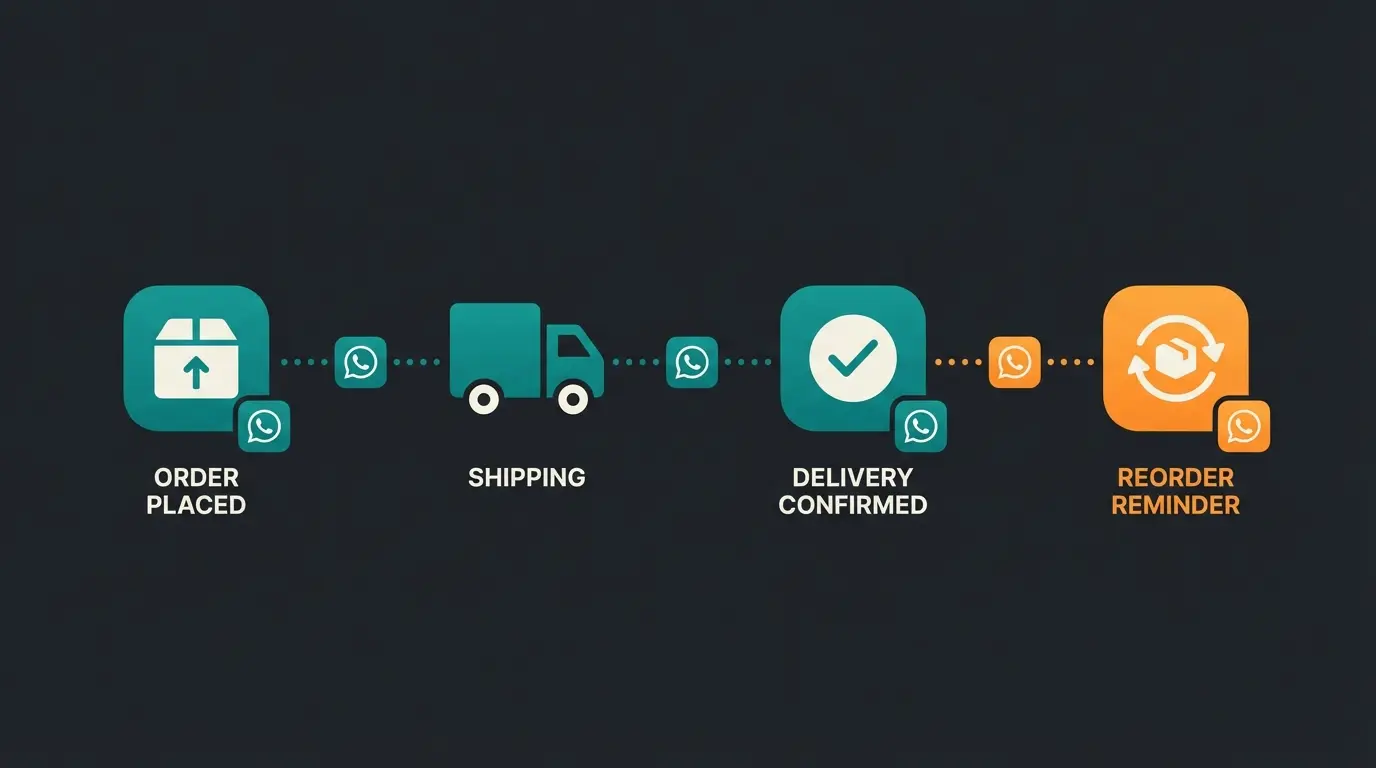
Use the API for "Utility" messages that relieve support before it's needed, as suggested by TheAutomate.ai:
- Shipping confirmations with tracking links.
- Appointment reminders (reduces no-shows).
- Reorder reminders for consumables (coffee, contact lenses).
Part 5: FAQ – Common WhatsApp Support & Business Questions
Here we answer questions relevant to both end users and business decision-makers (while optimizing for Rich Snippets).
No, WhatsApp does not offer telephone support. All numbers you find online (e.g., 0800...) are either unofficial service providers or scam attempts. Contact is exclusively through the app or via email to addresses ending in @support.whatsapp.com.
As a private user, there is no live chat with WhatsApp employees. You can only open a ticket through the app. However, as a customer of businesses (e.g., Samsung, Dyson), you can often live chat with their support via WhatsApp.
Yes, through the WhatsApp Business API. This allows businesses to offer GDPR-compliant customer service, integrate chatbots, and have multiple employees answer customer inquiries simultaneously.
Costs consist of fees for the Business Solution Provider (software) and Meta's fees. Meta charges per 24-hour conversation, depending on the category (Marketing is more expensive than Service). Service conversations have been favored or free since late 2024.
The free WhatsApp Business app is designed for small businesses with limited features and single-device use. The WhatsApp Business API is for medium to large businesses, offering multi-agent support, chatbot integration, automation capabilities, and enterprise-grade scalability.
Conclusion: The Two Faces of WhatsApp Support
The term "WhatsApp support" has two meanings, and both are undergoing transformation.
For Users
The path to support is more digital and automated than ever. There's no hotline, but there are clear digital paths through the app and email. The most important lesson here is caution against scammers.
For Businesses
Standard support is no longer enough. Customers frustrated by the unreachability of large tech companies reward brands that are accessible. Those who understand WhatsApp not just as a ticket system, but as an AI-powered product consultant, will leave the competition behind in 2025.
Appendix: Official Contact vs. Scam Overview
So you can recognize at a glance whether you're safe, here's an overview table:
| Feature | Official WhatsApp Support | Scam / Fraud |
|---|---|---|
| Contact Method | Only in the app or via email (@support.whatsapp.com) | Phone call, SMS from unknown number, WhatsApp message from unknown sender |
| Verification | Green checkmark in chat profile (not in profile picture!) | No checkmark or checkmark only as emoji in image |
| Asking for Codes | Never asks for your 6-digit SMS code | Often aggressively asks for the code for "verification" |
| Language | Professional, usually in your language | Often poor grammar, spelling errors, urgency ("Act immediately!") |
| Costs | Free | Often paid "premium hotlines" or subscription traps |
Stop parking your customers in waiting loops. Start with intelligent WhatsApp automation that consults, sells, and delights—24/7, without wait times. Join businesses already transforming their WhatsApp into a competitive advantage.
Get Started Today
Lasse is CEO and co-founder of Qualimero. After completing his MBA at WHU and scaling a company to seven-figure revenue, he founded Qualimero to build AI-powered digital employees for e-commerce. His focus: helping businesses measurably improve customer interaction through intelligent automation.